

Wordpress Management
Create and manage Wordpress sites with ease
As of early 2026, WordPress powers approximately 43% to 43.4% of all websites whose content management system (CMS) is known. This equates to over 810 million to 861 million websites globally, making it the most popular website-building platform with over 60% of the CMS market share. Its position as the leading content management system (CMS) is unmatched. To make your experience even smoother, we’ve streamlined the process of creating WordPress-focused accounts and integrated powerful management tools directly into the Control Panel.

WordPress Hosting
Easy WordPress Creation
Alongside our standard Linux, Windows, Email Only and Parking account types, we provide the option for a WordPress account type. This sets up WordPress optimised account on our Linux shared hosting platform, with the latest version of WordPress installed, ready for use within seconds.
- Access the latest Wordpress version
- Setup with the latest MySQL and PHP versions
- Access to in-life controls
In-Life Management
Powerful tools within the confines of our Control Panel
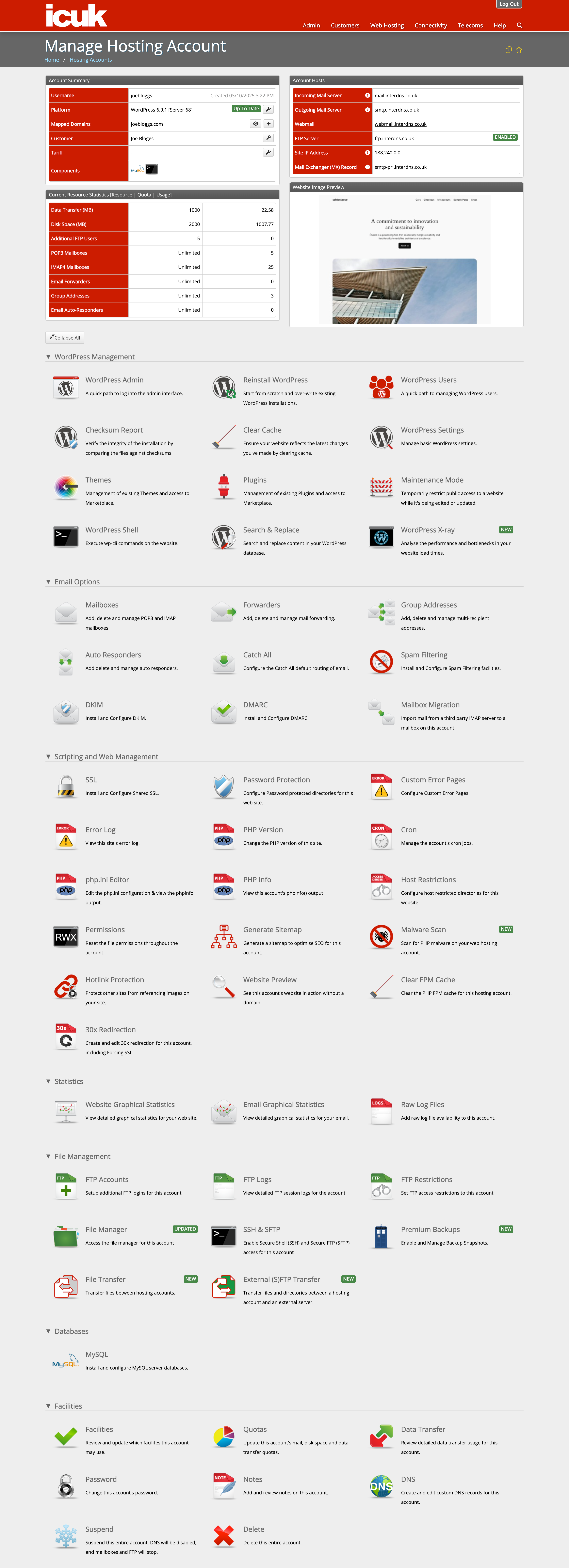
Our Control Panel is designed to make managing WordPress accounts simple and efficient. It gives you easy access to user controls, settings, themes, and other everyday essentials - all without needing to log into the admin dashboard. For example:
- User management
- Cache clearing
- Theme & Plug-in management
- Maintenance mode paths
- WordPress shell
- Re-installation paths

WordPress Manager
Multi-site management made easy
Our WordPress Manager provides a slick way to view and manage your WordPress accounts. At a glance you can identify accounts which may be:
- Operating with out of date versions of WordPress
- Using old versions of PHP
- Do not have SSL in place
- Reliant on lots of plug-ins
- Are being backed up with ICUK's Premium Backups
- Require updates to be applied
We’re also providing:
- Preview URL for the site
- WordPress Site Preview Image
- Quick visibility of the enabled plug-ins
- Visibility of installed themes
- Easy access to the wp-admin login page and management of the hosting account
WordPress X-Ray
Help super charge your website
We're often asked why a website might be running slowly. In many cases, the cause is related to scripts rather than factors within our direct control. To make it easier to identify what’s impacting performance, we’ve developed a diagnostic tool specifically for WordPress. This tool enables you to:
- View how long each plugin takes to load
- Measure the transfer time of static files to your browser
- Identify which database queries take the longest to execute
- Access detailed diagnostics, including hook timings and locations
- Graphical block view to diagnose which WordPress blocks are slowing down the site
- OP-cache integration to show which hooks/code are being cached


